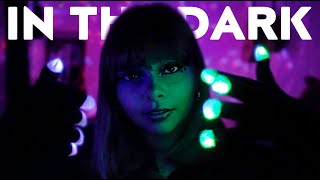
ASMR - Fallout Vault Dweller helps you 💉 (wash, eye exam, inkblot test) whispered~ Lucy roleplay
481.000 Abonnenten
0 Aufrufe
Beschreibung
To try everything Brilliant has to offer for free for a full 30 days, visit https://brilliant.org/Catplant or click on the link in the description. You’ll also get 20% off an annual premium subscription. And thank you to brillant for sponsoring today's video lol sorry about the green screen and my yellow sponge glitch issues. so basically my yellow sponge yet clashing with my green screen. it reflected green onto it which made it hard for me to key out. so yeah. probably should have picked a different color for that :3 but!!!! overall it was such a fun video to make. i used adobe after effects on the vat system at the beginning of the video.
Möchtest du bei ausgeschaltetem Bildschirm weiterhören?
Um beim Nutzen anderer Apps zu hören, schalte den Player während der Wiedergabe in den Bild-im-Bild-Modus (PiP) — er läuft in einem kleinen schwebenden Fenster weiter (der Bildschirm bleibt an).
Um bei vollständig ausgeschaltetem Bildschirm zu hören: Die Wiedergabe im Browser wird durch YouTube technisch gestoppt. Öffne das Video in der YouTube-App, um dort weiterzuhören, wo Hintergrundwiedergabe unterstützt wird (z. B. mit YouTube Premium).
In der YouTube-App öffnen