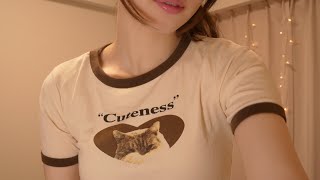
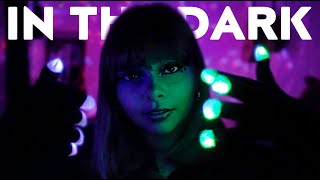
ASMR Fascinating Mouth Sounds😈💕

755 mil suscriptores
0 visualizacioneshace 6 años
Descripción
How to become My Member : https://www.youtube.com/channel/UCRz3cGfqeMPSHMBN6CxKQ9w/join I recorded mouth sounds with TASCAM & NT1 😴 It's been a while since I've recorded mouth sounds with TASCAM! !! It's interesting that the sound changes with and without the windshield ☺️✨ I hope you can enjoy both the changes in the image and the difference in sound depending on the microphone 🌙Thank you for your support ✨ Good night ⭐ ⭐Special Videos for Members https://www.youtube.com/playlist?list=PLGvqlDyVRZucl8liDR0SdhdrLX6JEh6R- ⭐Cham Live Streaming!! https://www.youtube.com/playlist?list=PLGvqlDyVRZuckVpkRwE8TNm3-qZqlncxc ⭐behind-the-scenes story 撮影を終えて&裏側 촬영 비화 https://www.youtube.com/playlist?list=PLGvqlDyVRZudMdLfb8JXJ1C4KLczOK12Z ………………………………………………………… ⭐Paypal (Donate):https://paypal.me/ASMRCham ⭐️Twitter:https://twitter.com/ChamAsmr ⭐️Instagram:https://www.instagram.com/cham_asmr ⭐E-mail:[email protected]
¿Quieres seguir escuchando con la pantalla apagada?
Para escuchar mientras usas otras apps, cambia el reproductor a Picture-in-Picture (PiP) durante la reproducción: sigue sonando en una pequeña ventana flotante (la pantalla permanece encendida).
Para escuchar con la pantalla totalmente apagada, la reproducción en el navegador se detiene por el funcionamiento de YouTube. Abre el vídeo en la app de YouTube para seguir escuchando donde la reproducción en segundo plano es compatible (por ejemplo, con YouTube Premium).
Abrir en la app de YouTube