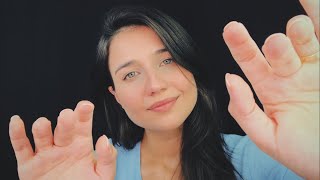
ASMR | EYE EXAM AT THE OPHTHALMOLOGIST - Roleplay 👩⚕️👀

306 k abonnés
0 vues
Description
👩⚕️✨ Welcome to your eye exam with ophthalmologist Rafa! Today you will have an appointment full of soft sounds, lights, whispers and that super attentive service that only my patients receive! 👀💙 ⚠️If you want to sleep with the video playing non-stop, just click on the gear icon ⚙️ in the right corner of the video, select "Advanced settings" and then activate the option "Play the video in repeat mode". This way, it will continue to play automatically. 💡 Don't forget to like, comment and subscribe for more videos like this! I hope you enjoy it and relax a lot. 📲 Follow me on social media: 🔹 TikTok: @asmrdarafa 🔹 Instagram: @asmrdarafa 🔹 Spotify: ASMR da Rafa 📩 Contact for partnerships: 📧 [email protected] 🎙 Want to know what equipment I use? 📌 https://linktr.ee/asmrdarafa 🍎CUSTOM ASMR: https://forms.gle/jF13eYWeqoezbwxR8 Become a member of the channel 🍎: / @asmrdarafa Subscribe to the NEW CHANNEL: https://youtube.com/@asmraleatoriosda... Kisses from Rafa🍎 #asmrexam #asmr
Vous voulez continuer à écouter écran éteint ?
Pour écouter tout en utilisant d'autres applis, passez le lecteur en Picture-in-Picture (PiP) pendant la lecture : il continue dans une petite fenêtre flottante (l'écran reste allumé).
Pour écouter écran complètement éteint, la lecture dans le navigateur s'arrête en raison du fonctionnement de YouTube. Ouvrez la vidéo dans l'application YouTube pour continuer à écouter là où la lecture en arrière-plan est prise en charge (par exemple avec YouTube Premium).
Ouvrir dans l'appli YouTube