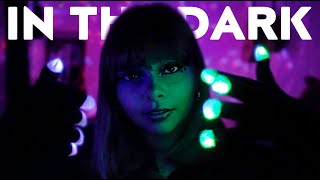
ASMR Fascinating Mouth Sounds😈💕

755 k abonnés
0 vuesil y a 6 ans
Description
How to become My Member : https://www.youtube.com/channel/UCRz3cGfqeMPSHMBN6CxKQ9w/join I recorded mouth sounds with TASCAM & NT1 😴 It's been a while since I've recorded mouth sounds with TASCAM! !! It's interesting that the sound changes with and without the windshield ☺️✨ I hope you can enjoy both the changes in the image and the difference in sound depending on the microphone 🌙Thank you for your support ✨ Good night ⭐ ⭐Special Videos for Members https://www.youtube.com/playlist?list=PLGvqlDyVRZucl8liDR0SdhdrLX6JEh6R- ⭐Cham Live Streaming!! https://www.youtube.com/playlist?list=PLGvqlDyVRZuckVpkRwE8TNm3-qZqlncxc ⭐behind-the-scenes story 撮影を終えて&裏側 촬영 비화 https://www.youtube.com/playlist?list=PLGvqlDyVRZudMdLfb8JXJ1C4KLczOK12Z ………………………………………………………… ⭐Paypal (Donate):https://paypal.me/ASMRCham ⭐️Twitter:https://twitter.com/ChamAsmr ⭐️Instagram:https://www.instagram.com/cham_asmr ⭐E-mail:[email protected]
Vous voulez continuer à écouter écran éteint ?
Pour écouter tout en utilisant d'autres applis, passez le lecteur en Picture-in-Picture (PiP) pendant la lecture : il continue dans une petite fenêtre flottante (l'écran reste allumé).
Pour écouter écran complètement éteint, la lecture dans le navigateur s'arrête en raison du fonctionnement de YouTube. Ouvrez la vidéo dans l'application YouTube pour continuer à écouter là où la lecture en arrière-plan est prise en charge (par exemple avec YouTube Premium).
Ouvrir dans l'appli YouTube