[ASMR] I Coded a Video Game!
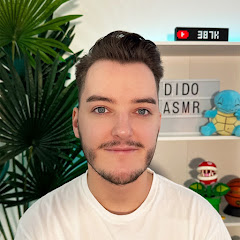
475K iscritti
0 visualizzazioni
Descrizione
In this relaxing ASMR video I code my very own video game! From tingly keyboard typing to problem solving and logic, tonight we do some coding as I make a very fun game. If you want to try my game be sure to give it a go using the link below and let me know what score you can get! https://scratch.mit.edu/projects/5706... ✨ SOCIALS ✨ Link Tree: https://linktr.ee/didoasmr Subscribe: https://www.youtube.com/c/didoasmr?su... 2nd Channel: / didogaming Twitter: / didoasmr Instagram: / dido_asmr Discord: / discord Business Enquiries: [email protected] ✨ OTHER LINKS ✨ Become a Member: https://bit.ly/3cJadu4 Help support the channel: https://paypal.me/didoasmr Video Idea Submissions: https://forms.gle/7nooR1udbbeLqVcY9 ✨ TIMESTAMPS ✨ 0:00 Intro 3:46 Introduction to Scratch 5:30 Game Overview 6:19 Getting the Sprites 9:50 Moving the Hoop 14:08 Randomising Ball Position 16:49 Making the Ball Fall 20:12 Losing the Game 21:33 Catching the Ball 26:22 Creating a Score Counter 27:54 Losing Sound 29:21 Testing the Game 30:43 Speeding Up the Ball 34:34 Final Game 36:15 Outro ✨ UPLOAD SCHEDULE ✨ I upload every other day; Monday, Wednesday, Friday & Sunday! With Magic videos on Monday and ASMR Gaming on Wednesdays, every upload will be at 21⦂30 (GMT). Members-Only Videos posted on Thursdays and occasional BONUS videos on Saturdays. Livestreams on Tuesdays & Saturdays at 22⦂00 (GMT). ✨ WHAT IS ASMR? ✨ ASMR is a tingling sensation that creates relaxation through auditory sounds, visuals and more. Click here to read more: https://bit.ly/2yYkRir ✨ TRIGGERS IN THIS VIDEO ✨ Whispering, Binaural Whispering, Ear-to-Ear Whispering, Keyboard Typing, Mouth Sounds, Satisfying Visuals, Clicking, Tapping, Swish Sounds & More! ✨ EQUIPMENT I USE ✨ Camera: Sony A6000 Webcam: Maxesla Full 1080p Webcam Microphone: Blue Yeti USB Microphone (Midnight Blue) Editing Software: DaVinci Resolve 16 PC Build: https://uk.pcpartpicker.com/user/Dido... Don't forget to leave a like and subscribe/turn on notifications to be updated whenever I post! #ASMR #Coding #Gaming