YOU Can Control This ASMR Video
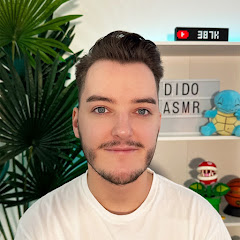
チャンネル登録者数 47.5万人
0回視聴
概要
You are in full control of this ASMR video as you can choose what sounds to pick and when you want to hear them! With the guide below design your custom ASMR video and relax... HOW TO CONTROL: [PC USERS]: Click the number on your keyboard that correlates to the triggers on screen at 1:10 [MOBILE USERS]: Use timestamps below 0:00 How It Works 2:30 Mouth Sounds 5:00 Tapping 7:30 Brushing 10:00 Hand Sounds 12:30 Crinkling 15:00 Inaudible Whispering 17:30 Visuals 20:00 Water Sounds 22:30 Mini Red Cups 📱 SOCIALS ASMR Maths Channel: / @asmrmaths Vlog Channel: / @didosvlogs Instagram: / dido_asmr TikTok: / dido_asmr Spotify: https://open.spotify.com/show/27Xf94W... Business Enquiries: [email protected] 💻 OTHER LINKS Become a Channel Member: / @didoasmr Shop White Noise: https://whitenoise.store/didoasmr Help Support the Channel: https://paypal.me/didoasmr Video Idea Submissions: https://forms.gle/7nooR1udbbeLqVcY9 📬 SEND ME MAIL Dido ASMR PO Box 4279 Robina Town Centre QLD 4230 Australia 📅 UPLOAD SCHEDULE New videos every Tuesday, Thursday & Sunday at 9:30PM (GMT) Members-Only Content posted every Wednesday 😴 WHAT IS ASMR? ASMR is a tingling sensation that creates relaxation through auditory sounds, visuals and more. Click here to read more: https://bit.ly/2yYkRir ⚙️ EQUIPMENT I USE Camera: Panasonic Lumix S5 II Webcam: Elgato Facecam Microphones: Rode NT1, Blue Yeti Pro/X/Standard (Midnight Blue), Tascam DR-07X/DR-05X Editing Software: DaVinci Resolve 16 PC Build: https://uk.pcpartpicker.com/user/Dido... Don't forget to leave a like and subscribe/turn on notifications to be updated whenever I post! #ASMR #Relaxing #Sleep