GET BACK YOUR TINGLES 💛 Handmade Mic Ear Cleaning ASMR 💛 [NO pigeons whatsoever]
구독자 2.2만명
조회수 1.3만회2년 전
설명
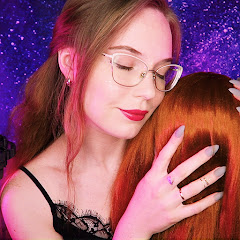
In this video: ear massage, ear cleaning, gentle ear tapping, upclose ear to ear whispering, scalp massage, and all of it with a cute fluffy DIY mic that I made myself as a 3Dio alternative. And, of course, dimmed versions of this video with rain backgound for you to fall asleep to and avoid post-roll ads that are so non-ASMR-friendly! 🔥 Support and get access to a pool of 100+ EXCLUSIVE VIDEOS on Patreon for just $4: / artofsoundasmr Timestamps: 00:00 - preview 00:54 - show and tell of the DIY mic, whisper and ear massage 10:09 - ear cleaning with cotton pads 11:51 - ear cleaning with q-tips (and some cotton pads too) 14:22 - lotion ear massage 17:12 - talc on ears for softer ear massage, rose brush, cupping 30:01 - dimmed version w/rain 59:08 - even darker version w/heavy rain to fall asleep to 🎀 Get NO PIGEON merch that I created: https://asmr-art-of-sound.creator-spr... 🎧 Find me on Apple Music (ASMR Art of Sound): https://apple.co/3UXLv2m (affiliate link, so I might get a small comission if you register via this one) 🔊 Other audio streaming services (Spotify, etc.): https://ffm.to/asmrartofsound ❓ Why are there dimmed versions of the video with the rain background? ❗ Firstly, I wanted to add comfort of viewing for those who fall asleep to ASMR: longer video provides enough space to comfortably nap and avoid end roll ads that can't be removed on the creators' side these days on YouTube. So you basically have a buffer to sleep without a close chance to be woken up by an ad. ❗ Secondly, I like the idea of a video getting darker and darker and rain going heavier and heavier. It's like a natural way of falling asleep - the white noise and a darker background. So I hope this helps to nap better too. 🎧 Put your headphones on to enjoy the 3D effect of the sounds! ✨My old channel (some good old 3Dio videos, QUAD vids and more - I love the content that I did there): / @asmrartofsound