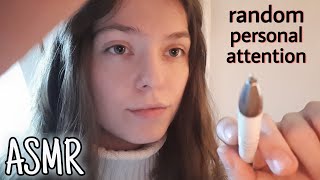
ASMR Girls Talk 🎀 Part 5
61.2K subscribers
0 views
Description
Sorry guys I changed all the settings and language of the video but the AI dubbed ist still there. How to change it: click on settings (right corner of the video) then set audio track to original Join Patreon for extra content: https://patreon.com/ASMRLumiere?utm_medium=unknown&utm_source=join_link&utm_campaign=creatorshare_creator&utm_content=copyLink Memberships for early access: https://www.youtube.com/channel/UC3o6V394CwXXGnesX2HsqMA/join for more content follow me on: IG: https://www.instagram.com/asmr.lumiere?igsh=OWhlcm4yNmgzMGtm&utm_source=qr TikTok (no posts yet): https://www.tiktok.com/@masch1a_?_t=8psKtSEFudd&_r=1 For business inquiries: [email protected] if you want to support me and my channel: https://www.paypal.me/ASMRLumiere Thank you all for watching and supporting me! I appreciate every type of support!
Want to keep listening with the screen off?
To listen while using other apps, switch the player to Picture-in-Picture (PiP) during playback — it keeps playing in a small floating window (the screen stays on).
To listen with the screen fully off, in-browser playback stops by YouTube's design. Open the video in the YouTube app to keep listening where background playback is supported (e.g. with YouTube Premium).
Open in YouTube app![ASMR Trying Canadian Snacks 🇨🇦[Mukbang]](https://i.ytimg.com/vi/jGWnUAuyG3o/mqdefault.jpg)


![[ASMR] Christmas TRIGGER to help you SLEEP ❄️ | with 2 BLUE YETI MICS | ASMR Marlife](https://i.ytimg.com/vi/zzlUdHOYBpU/mqdefault.jpg)