ASMR - Intense Microphone Scratching [No Talking]
Description
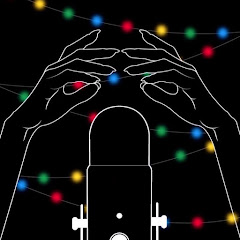
In this video I'm scratching my mic without a windscreen as suggested in the comments of one of my other videos. I have mirrored the video so the sound matches what you see on screen. I haven't figured out how or if you even can flip the audio instead, therefore this will have to do for now. Hope you enjoyed! Thanks for watching!
Want to keep listening with the screen off?
To listen while using other apps, switch the player to Picture-in-Picture (PiP) during playback — it keeps playing in a small floating window (the screen stays on).
To listen with the screen fully off, in-browser playback stops by YouTube's design. Open the video in the YouTube app to keep listening where background playback is supported (e.g. with YouTube Premium).
Open in YouTube app![ASMR - Tape Sounds [No Talking]](https://i.ytimg.com/vi/lHjQs9u0QJo/mqdefault.jpg)
![ASMR - Powder Puffs (Microphone Rubbing & Patting + Visual Triggers) [No Talking]](https://i.ytimg.com/vi/4jDBzTpk7OM/mqdefault.jpg)
![ASMR - Light Triggers (With Microphone Brushing) [No Talking]](https://i.ytimg.com/vi/4l4N0VVuqn0/mqdefault.jpg)
![ASMR - Placing & Removing Pins (+ Microphone Scratching) [No Talking]](https://i.ytimg.com/vi/VeOuwRDCzgE/mqdefault.jpg)


![[ASMR] Random Rambles + Finals Week Ramble](https://i.ytimg.com/vi/zzRPq3MtoIE/mqdefault.jpg)


