The Creature Emporium | ASMR Fantasy Roleplay (Magical Pet Shop)
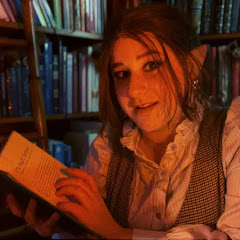
3.3K subscribers
3.2K views2 months ago
Description
The no music version: https://youtu.be/7YDGAIXjGjI I really hope you enjoy this creature shop video!! It’s by far the most complex video I’ve made so far, and I had way too much fun building the props and creating Maud’s little world. If you liked this video, there’s also a 1-hour extended cut available on my Patreon https://www.patreon.com/RedwoodASMR with an added creature and more things to buy : https://www.patreon.com/posts/extended-cut-pet-153613789?utm_medium=clipboard_copy&utm_source=copyLink&utm_campaign=postshare_creator&utm_content=join_link If you end up needing a different creature, definitely check out the stock at these other creators’ creature shops too, they all make such fun and creative videos: Whispering Willow: https://youtube.com/shorts/GfSdpThEJn4?si=Gx57i-rWUhyMpqyY Oopsy Daisy: https://youtu.be/cEfkoxV7x2w?si=zMgx-80Dq2PYVdbT Visual Sounds 1: https://youtu.be/k560BhJwYic?si=Nayo9psayZntymWT Goodnight Moon: https://youtu.be/kocWXDJCNLo?si=Ezqq3owXXfYXnnre Follow me on: Instagram: https://www.instagram.com/redwoodasmr/ Patreon: https://www.patreon.com/RedwoodASMR Threads: https://www.threads.com/@redwoodasmr?igshid=NTc4MTIwNjQ2YQ== Huge thank you to https://www.instagram.com/longsword_miniatures/ for lending me some of the miniatures you can see in the background- they added so much extra detail to the space and made the Emporium feel even more alive. You’ll always welcome back at the Emporium. Thank you for being here 🌙✨ Timestamps: 0:00 – Cinematic intro 0:42 – Welcome to Maud's Creature Emporium! 1:53 – Pouring you tea 2:47 – Asking you some questions 13:00 – Dragon Eggs 13:40 – Verdigris Copper Dragon egg 15:45 – Crimson Nightfire Dragon egg 17:52 – Stormsong Dragon egg 19:43 – Jadewood Ironbark Dragon egg 21:56 – Mossbound Stone Dragon egg 23:38 – Hubert the hatchling 28:40 – Looking for keys 29:29 – Poppytuffs 32:52 – Sir Bartholomew 33:48 – Giant Lantern Moth 35:48 – Choosing your creature 36:53 – Packing you a kit 44:12 – Signing your adoption certificate 46:00 – Sending you off