Binaural ASMR And Foley Sounds: Until Dawn Cosplay Makeup Tutorial With SaucyCosplays
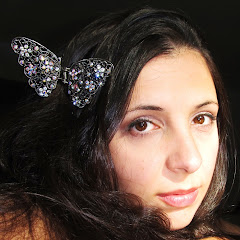
529K subscribers
0 views
Description
Hello everyone! This ASMR video features my second attempt at being a Foley artist (which means that I created every sound for the video and edited them in), brush sounds, crinkling, uncapping, repetition of trigger words, tapping, sticky sounds, soft speaking, whispering, and the awesome fangirl magic of SaucyCosplays! I hope you'll all give Jess (SaucyCosplays) a warm welcome to our little corner of Youtube, and please don't hesitate to visit her channel---she makes ASMR videos, cosplay DIY tutorials, unboxing videos, vlogs, and more! Jess gave me video footage of her transformation into Ashley from Until Dawn, the product list she used, and the steps for the look. It was my job to narrate and make sound effects in Foley fashion---so hopefully it will look like Jess was actually making the sounds in the video...it was really hard (Almost two weeks of editing with almost 1200 individual slices of audio), but I hope you enjoy the results! Props to Foley artists, and Happy Viewing! Huge thanks go to Jess for collaborating with me! Swing a visit over to SaucyCosplays channel and say hello! https://goo.gl/uJYEdq The Until Dawn pause screen with Jess as Ashley was made by BazukaTREE. Take a tour of her DeviantArt page! http://goo.gl/IESA6X Want to see the first Foley Feather Friends Collaboration I did with albinwhisperland? • Binaural ASMR & Foley Sounds: Makeup & Ha... My Patreon page for those interested in helping me make the best/most effective content I can: / heatherfeather You can find me elsewhere on the internet: Blog: http://heatherfeatherasmr.blogspot.com/ Bloopers: / featherbrainedasmr Twitter: / heathfeathasmr Facebook: / heathfeathasmr Instagram: / heatherfeatherasmr Paypal account: I love making these videos, so regardless of donations, I will still be doing what I love---that said, any donations are greatly appreciated. https://www.paypal.com/cgi-bin/webscr... Microphone I used in this video: Free Space Pro II - Binaural Microphone http://goo.gl/G49CNf You'll find me at PixelWhipt soon! http://goo.gl/OGFxmI