❤️ Can't Sleep? Let Me Help You Get Some Rest ❤️ [VR ASMR ] [Binaural Audio]
24K subscribers
0 views
Description
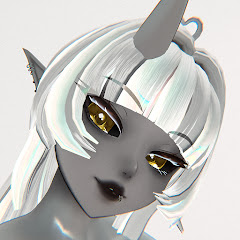
Hello! This is me testing out the 3DIO for the first time. I've yet to buy an audio interface so there's a bit of hissing but that'll go away soon. Originally I recorded the entire video in VR but the sound of the base station whirling was so lout that I had to redo the audio out of VR. It also does some wonky mini echos with the AI voice and I hope I can refine that in the future. Also I need to learn the ins and outs of the mic! There are parts I felt like when I touched made a louder noise or the material didn't create the effect I wanted. Small things. Just long rambles from my first time trying to use this microphone. The previous version I also accidentally swapped the left and right spoken audio but this is fixed now! 💤 ASMR || ⏰ 19:27 || 📽️ 1440p 🔉 Triggers include: Binaural || Ear Rubbing || Ear Cupping || Trigger Words || Blowing || Mic Scratching || Bead Crumbling 🎉 𝐖𝐚𝐧𝐭 𝐦𝐨𝐫𝐞 𝐨𝐟 𝐦𝐞? https://linktr.ee/StellaMarisVR 🔔 If you enjoyed this video consider subscribing for more content! Timestamps: 0:00 - Preview 1:29 - Ear Rubbing 5:36 - Trigger Words 8:17 - Ear Cupping 9:34 - Mic Scratching 12:24 - Ear Blowing 16:09 - Bead Crumbling ˖⁺‧₊˚ ˚₊‧⁺˖✮-----𝘚𝘵𝘦𝘭𝘭𝘢𝘔𝘢𝘳𝘪𝘴𝘝𝘙 -----✮˖⁺‧₊˚ ˚₊‧⁺˖ Avatar by はみにの立体箱 Map: Cloud Loft An A.I voice was used to make this. The dataset for the voice was trained by me.