ASMR Grandpa Toolbox 🧰 Cordless Drill🔫 Tutorial & Demonstration (TAPPING & SCRATCHING) 👨🔧
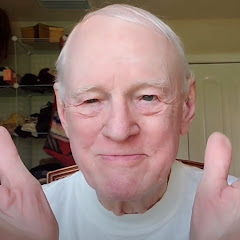
312K subscribers
23.6K viewslast year
Description
Welcome dear children and grandchildren! 🤗 In this episode, Grandpa introduces you to his trusty Makita cordless drill. Get ready for an extended experience of tapping, scratching, and those oh-so-tingly natural tool sounds. 🛠️✨ Listen to Grandpa's calm and soothing voice as he: - Demonstrates all the buttons and features of the Makita cordless drill - Shows you how to load a screw head and use the drill to turn it in - Walks you through his drill bit index and the best way to store them - Explains how to load a drill bit with ease - Shares real-life examples of his drilling projects around the house The tutorial wraps up with more tapping sounds along with some handy safety tips. And you get to take a break with Grandpa as he takes his signature sip of Coke. 🥤👨🔧 Stay Connected: Don't forget to hit the subscribe button and join Grandpa Poe's ever-growing family of children and grandchildren from around the world. Your support means the world to us, and it helps us bring more wholesome content your way. 🌍 Watch This Video in Your Language! 🌍 Closed Captions & Auto-Translate Steps: Close Captions: 1. Launch the YouTube app on your phone. 2. Select Grandpa's Video. 3. Tap the screen to bring up the video controls. 4. Tap the three-dot menu (⋮) in the upper right corner of the video. 5. Tap Captions (CC) from the menu. If captions are available, they will be listed here. Tap your language to select it. Auto-Translate Captions (if your language is not listed): 1. Tap the Settings (gear) icon. 2. Select Subtitles/CC. 3. Tap Auto-translate. 4. Scroll through the list and select your language. This will enable captions in your selected language for the video you're watching. Happy viewing! 📺 If you need any more help, feel free to ask! Love, Daughter and Grandpa Poe 💖 #ASMR #GrandpaToolbox #CordlessDrill #ToolASMR #DIY #Relaxation #Tutorial ASMR Grandpa Toolbox 🧰 Cordless Drill🔫 Tutorial & Demonstration (TAPPING & SCRATCHING) 👨🔧