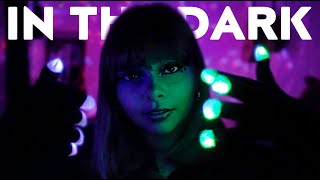
ASMR Test and Check In 💚

12.9K subscribers
0 views
Description
You guys...let's start with, are you ok?? Are you doing well and are you staying safe?? I really hope so! And now let's talk about this video....oh my lord it seems when I start to take a step forward in making better content, I step back, like, three steps lol. rant below (Correct me if I'm wrong and I really hope I am) From my understanding there is no real way to get my Blue Yeti to work well with my Samsung S9, that I have to get a full set up of camera, laptop, and software. I was just really hoping I could have a solution for the static noise until I could get those items. I'm just so frustrated when I hear that static noise in my videos! I have been putting in a lot of time to find the answers for my situation, but as it stands all the answers I'm looking for are geared for a more professional setup and I get it. I'm just frustrated is all lol end rant Again please stay safe you guys and the next video will be better. Was just testing out the sound proofing I did in this room. Back to the drawing board! Love you guys, Azia
Want to keep listening with the screen off?
To listen while using other apps, switch the player to Picture-in-Picture (PiP) during playback — it keeps playing in a small floating window (the screen stays on).
To listen with the screen fully off, in-browser playback stops by YouTube's design. Open the video in the YouTube app to keep listening where background playback is supported (e.g. with YouTube Premium).
Open in YouTube app